 Autel
Autel
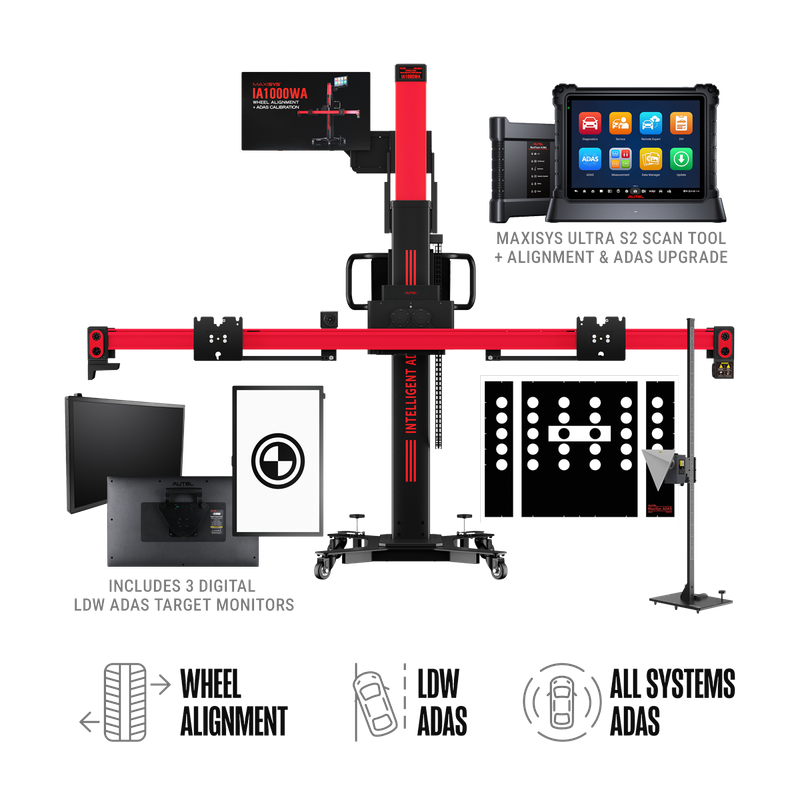
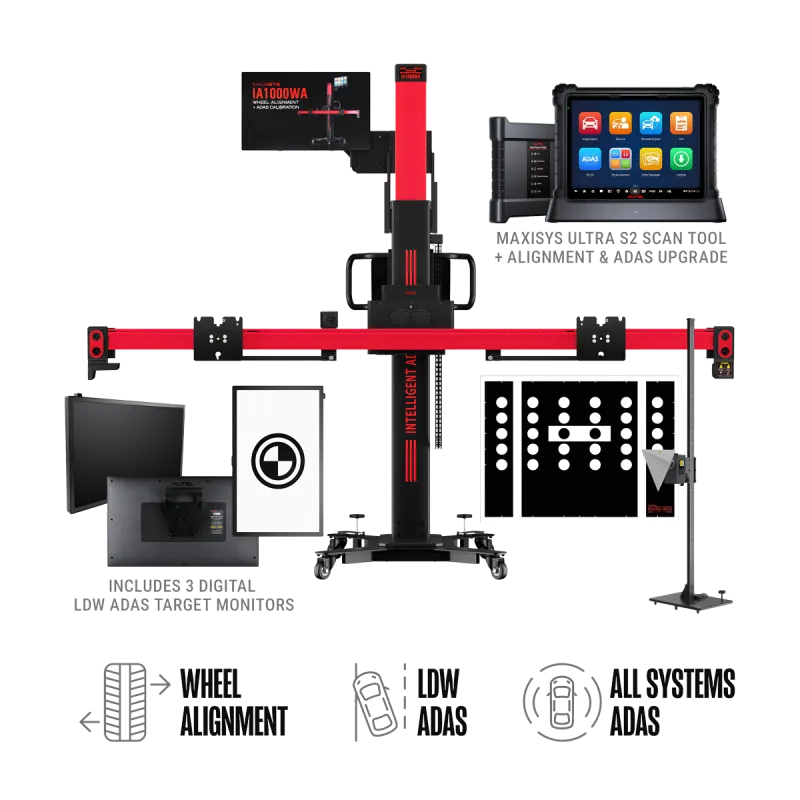
Autel MaxiSYS IA1000ASTDT All-Systems ADAS Calibration with Digital Targets
$73,101.60
Authorized ADAS Brand
Autel is one of the most complete ADAS ecosystems in the industry — pairing calibration frames and CSC target packages with the MaxiSYS diagnostic tablets that actually run the calibrations. From the IA900 series to standard and mobile frames, Autel covers camera, radar, around-view (AVM), night-vision, and lane-departure systems across a wide range of makes.
Talk to an ADAS specialist 866-217-0063Autel
Autel
$73,101.60
 Autel
Autel
$64,999.99
 Autel
Autel
$52,755.84
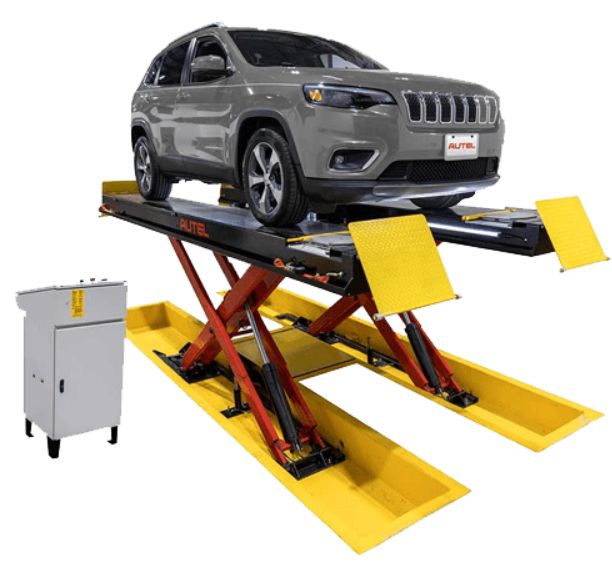 Autel
Autel
$50,907.75
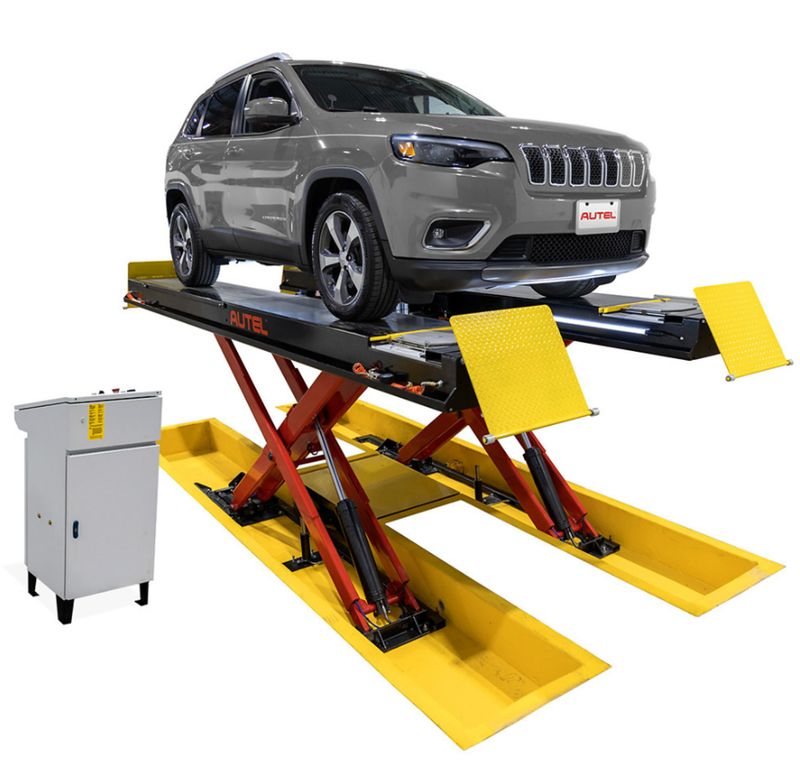 Autel
Autel
$49,388.12
Why Autel?
One ecosystem — the frame, the targets, and the MaxiSYS tablet that runs the calibration all come from Autel.
Broad vehicle coverage across domestic, Asian, and European makes.
Modular CSC target packages — add camera, radar, AVM, or night-vision coverage as your shop grows.
Guided, step-by-step calibration workflows built into the MaxiSYS interface.
Regular software updates and a large North-American support footprint.
If you run a collision or mechanical shop, ADAS calibration has gone from a niche service to a job you can’t avoid. Replace a windshield, do an alignment, swap a bumper cover or a mirror, and you’ve likely disturbed a forward camera, a radar, or a surround-view sensor that now needs to be recalibrated to OEM tolerance. Autel is one of the most widely deployed ADAS calibration platforms in independent shops in North America, largely because the company packages the three things you need — a frame, a set of targets/patterns (CSC components), and a MaxiSYS diagnostic tablet — into systems that scale from a part-time mobile operation up to a dedicated calibration bay.
This page walks through the actual Autel ADAS lineup the way a technician evaluates it: what each frame is and isn’t, how the target packages are organized, which tablet does what, how coverage works, the difference between static and dynamic calibration, and the real-world bay and lighting requirements that decide whether a system will actually work in your shop. Where a spec is firm, it’s stated plainly. Where it varies by package or vehicle, that’s called out so you can confirm it against the vehicles you actually service.
Every Autel ADAS calibration is the product of three components working together. Understanding this is the key to not over- or under-buying.
You cannot calibrate with the frame alone, and the tablet alone only handles diagnostics and dynamic calibrations that don’t require targets. The frame plus the right targets plus a tablet with the ADAS software upgrade is the complete kit. This matters at purchase time because Autel sells frames “bare,” with target packages, and with or without a tablet — so two shops can buy the “same” IA700 or IA900WA and end up with very different capabilities.
Autel’s frame lineup has grown over the past few years and now spans a fixed alignment-plus-ADAS station, a newer modular system, a portable mobile frame, and the original standard frame. Here’s what each one is.
The MaxiSYS IA900WA is the flagship combination unit: it performs full four-wheel alignment and ADAS calibration from a single frame. This is its defining feature — most shops doing ADAS in volume already need an alignment, and the IA900WA does both in one workflow rather than moving the car between two machines.
Practical note on footprint: the IA900WA is a substantial fixed installation. Shipping dimensions are in the range of 86″ H × 52″ L × 42″ W at around 655 lbs, and it’s designed to live in a calibration/alignment bay rather than move around. It’s the right choice for a shop that wants alignment and ADAS as a combined profit center.
The MaxiSYS IA700, released in 2024, is Autel’s modular, more compact answer that still delivers serious capability. It uses a robotic crossbar with six high-definition tracking cameras and four camera-target tire clamps to do wheel alignment pre-check, optical target positioning, and unlevel-floor compensation — the last of which is a genuinely useful feature, because it can compensate for floors that aren’t perfectly level instead of failing the calibration outright.
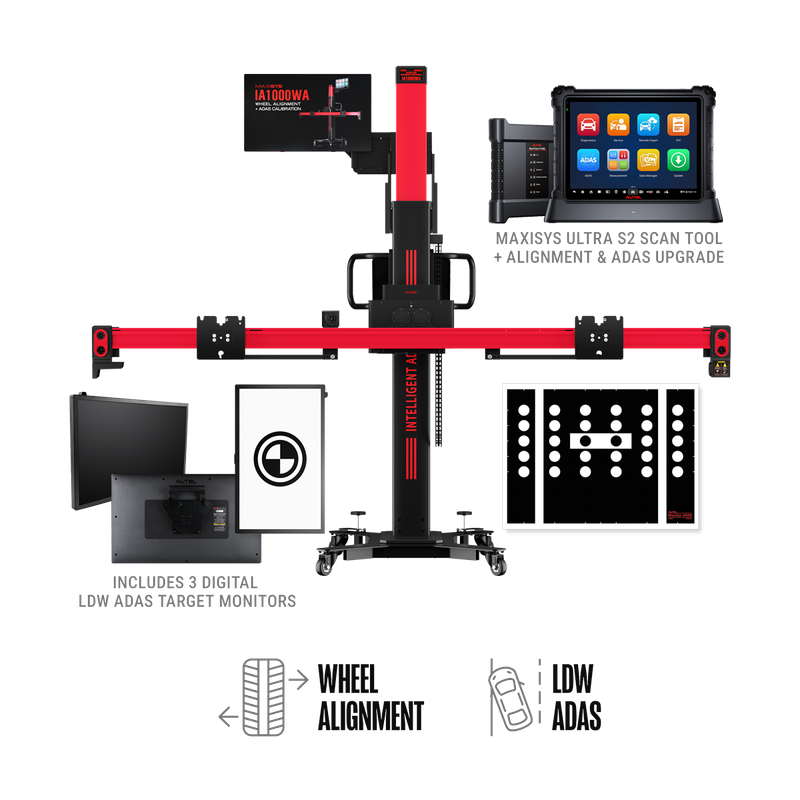
The IA700 is sold in three tiers — a Wheel Alignment Pre-Check package, an LDW (front camera) package, and an All Systems package that adds radar, lidar, and night-vision calibrators plus patterns for blind spot, around-view, collision warning, and adaptive cruise. It also supports Autel’s Guided ADAS application, which is meant to let you calibrate very new vehicle models not yet in the standard software using the frame, targets, and step-by-step guidance combined with OE resources.
The MaxiSYS MA600 is the portable, collapsible-aluminum frame built for mobile calibration and tight spaces. It breaks down into about three pieces and reassembles quickly — Autel says one person can place the frame in roughly two minutes — and the assembled base stand is around 28″ × 26″ × 42″ and about 75 lbs. It uses 2-line and 5-line centering/aligning lasers and laser-assisted reflectors for positioning rather than the IA700/IA900’s camera system.
Two honest caveats a tech should know before buying an MA600:
The MaxiSYS ADAS Standard Calibration Frame (the original “red frame,” CSC0600 family) is the classic fixed-bay frame. It’s heavier — roughly 200 lbs — and not designed to be broken down and moved like the MA600. It supports the broad range of static ADAS calibrations when paired with the appropriate target packages and a tablet, and it remains a cost-effective fixed station for shops that don’t need integrated alignment.
| Frame | Best for | Positioning method | Integrated alignment | Portability | Calibration scope |
|---|---|---|---|---|---|
| IA900WA | High-volume fixed alignment + ADAS bay | 6 in-frame cameras, auto height tracking | Yes — full 4-wheel alignment | Fixed installation (~655 lbs ship wt) | Full ADAS (by package): LDW, AVM, BSD, ACC, lidar, night vision, RCW |
| IA700 | Shops wanting modern features in a compact/transportable frame | 6 in-frame cameras, optical positioning, unlevel-floor compensation | Alignment pre-check (not full alignment adjustment station) | Disassembles for transport/storage | Pre-check / LDW / All Systems (by package) |
| MA600 | Mobile techs and tight bays | 2-line / 5-line lasers + reflectors | No | Collapses to ~3 pieces, ~75 lb base | LDW base; All Systems via add-on package |
| Standard Frame | Budget fixed bay without alignment | Manual measurement / squaring | No | Fixed (~200 lbs), not broken down | Full ADAS (by target package) |
Calibration scope on every frame depends on which target packages and which tablet/software you buy. The frame defines the mechanical capability; the targets and software define which vehicles and systems you can actually calibrate.
The CSC (Calibration System Components) targets and patterns are where most of the ongoing cost and most of the vehicle-specific coverage live. Autel groups them by the ADAS system being calibrated. A camera “sees” a printed target board; a radar is aimed using a Doppler simulator or corner reflector; a 360 camera reads a floor mat pattern. The packages are largely brand-specific because each OEM specifies its own target geometry.
The forward-facing camera behind the windshield drives lane departure warning, lane keeping, and often forward collision warning and the camera half of adaptive cruise. LDW target packages are the most commonly used and are organized by brand groups. Autel’s LDW kits typically cover groups such as Audi/Volkswagen, Alfa Romeo, Mercedes-Benz, Honda/Acura, Mazda, Nissan/Infiniti, Toyota/Lexus, Hyundai/Kia, Subaru, and Mitsubishi. On the MA600 these are split into LDW1/LDW2/LDW3-style tiers, so confirm which brands are in the specific tier you’re buying.
Front radar (ACC, forward collision) and corner/blind-spot radar are aimed and calibrated using radar-specific tooling. Autel’s radar components include a Doppler radar simulator and calibrators for radar suppliers such as Continental and Hitachi, plus an OE-sized corner reflector set on a stand for vehicles that calibrate by reflecting a beam back to the sensor. Radar calibration is geometry-critical — small aiming errors translate to large errors downrange — which is exactly why frame accuracy and a level floor matter.
Surround-view / bird’s-eye-view systems use multiple cameras (front, rear, and under the mirrors) and are calibrated against floor patterns/mats laid out around the vehicle rather than a vertical target. Autel offers AVM floor-pattern packages by brand — commonly including Volkswagen, Honda, Hyundai/Kia, Cadillac/GM, Mitsubishi, Toyota, Mercedes, Nissan, and Ford. AVM packages are a frequent add-on because they’re brand-specific and don’t overlap with the LDW boards.
Night-vision systems (found on select Mercedes-Benz and Lexus models, among others) use dedicated patterns and a night-vision calibration stand. These are lower-volume but high-value calibrations, and the components are typically part of an all-systems/complete package rather than a base kit.
A growing number of vehicles use lidar for advanced driver assistance. Autel offers lidar calibration boards for specific platforms — for example Volkswagen/Audi and Toyota board sets are referenced in the MA600 component catalog. Lidar coverage is evolving quickly, so verify the exact board against the specific models you expect to see.
Rather than buying piecemeal, most shops going all-in choose an All Systems (or “Complete”) package that bundles the LDW boards, AVM floor patterns, radar calibrators, night-vision components, and lidar boards into one kit. This is the simplest way to maximize coverage, but it’s also the most expensive, and you may pay for brand targets you rarely use. If your shop sees mostly one or two import brands, a targeted set of LDW + AVM packages can be far more cost-effective than a complete kit. Confirm exactly which brands and systems are in any bundle before buying — package contents change over time.
The tablet is the controller for the entire calibration. Autel’s ADAS-capable tablets share the same core diagnostic platform but differ in screen size, measurement hardware, storage, and battery. All of them require the ADAS calibration software upgrade (sold as an activation/upgrade for compatible tablets including MS908, MS Elite, MS909, MS919, and Ultra) to unlock calibration functions.
The MaxiSYS MS909 is a 9.7″ diagnostic tablet (some references list a 10″ panel) with full bidirectional diagnostics and, with the ADAS upgrade, the ability to calibrate camera, radar, night vision, and lidar systems when paired with an Autel frame. It ships with the standard MaxiFlash VCI. It does not include the integrated oscilloscope/measurement hardware. For a shop whose primary job is calibration plus diagnostics, the MS909 is the common entry point.
The MaxiSYS MS919 shares the MS909’s 9.7″ tablet but adds the MaxiFlash VCMI — a 5-in-1 unit functioning as VCI, 4-channel oscilloscope, multimeter, waveform generator, and CAN bus tester. If you do electrical/electronic fault diagnosis alongside calibration, the MS919 is the better tool; the oscilloscope is the differentiator.
The MaxiSYS Ultra is the top tablet: a larger 12.9″ touchscreen, the same 5-in-1 VCMI as the MS919, more storage (256GB SSD), and a larger battery. The bigger screen is genuinely helpful for reading the graphic calibration instructions and dual-screen alignment/ADAS work, and the Ultra is the tablet Autel pairs with the IA900WA cradle. It’s the choice for a dedicated, high-throughput calibration bay.
| Tablet | Screen | Measurement hardware | Oscilloscope | Typical fit |
|---|---|---|---|---|
| MS909 | 9.7″ | MaxiFlash VCI | No | Calibration + diagnostics entry point |
| MS919 | 9.7″ | MaxiFlash VCMI (5-in-1) | Yes (4-channel) | Shops doing electrical diagnosis too |
| Ultra | 12.9″ | MaxiFlash VCMI (5-in-1) | Yes (4-channel) | Dedicated/high-volume calibration bay; IA900WA pairing |
Across all three, the ADAS software does the same job: it runs a pre-scan that lists every module and flags the active ADAS systems with icons, then provides vehicle-specific, graphic step-by-step setup instructions so you place the correct target at the correct distance and height, then commands the calibration, then runs a post-scan to confirm the module accepted the calibration and cleared its DTCs.
Autel’s ADAS coverage broadly spans U.S., Asian, and European vehicles, with static and dynamic calibration coverage for most ADAS-equipped vehicles when the tablet has the current ADAS software. But “broad coverage” is not the same as “covers the exact car in your bay today,” and this is where techs get burned.
Coverage is the intersection of three things:
Before committing to a package, do a reverse lookup: take the specific vehicles you service most and confirm, for each, which Autel targets/patterns and which software the calibration requires. Autel publishes setup and reverse-lookup resources for exactly this. If you primarily see late-model Toyota, Honda, and Subaru, build your package around those brands rather than buying everything. For brand-new models not yet in the standard software, the IA700’s Guided ADAS path plus OE resources can bridge the gap — but treat that as a supplement, not a guarantee.
Every ADAS calibration is static, dynamic, or both — and the vehicle/OEM decides which, not you.
A static (stationary) calibration happens in the shop with the vehicle stationary and a target or pattern placed in front of (or around) it at an OEM-specified distance, height, and offset from centerline. This is what the frame and targets are for. Static calibration is common on European, Japanese, and Korean vehicles. It demands a level floor, controlled lighting, and precise target placement — get the geometry wrong and the module will either reject the calibration or, worse, accept a bad one.
A dynamic (driving) calibration requires driving the vehicle on the road at certain speeds for a set time so the camera/radar can self-learn against real lane markings and traffic. No target is needed — the tablet commands the procedure and monitors completion. Dynamic calibrations are common on many domestic vehicles and some imports. The catch: they depend on good weather, clear road markings, and adequate traffic conditions, which you don’t control.
Plenty of vehicles require a static calibration and a follow-up dynamic drive to fully complete a system. Autel supports static and dynamic calibration, and the MaxiSYS software tells you which is required for the specific vehicle and system. A dynamic-capable tablet alone (no frame/targets) can do the driving calibrations, but it cannot do the static ones — which is why the frame-plus-targets investment is unavoidable for full-service calibration.
A typical Autel static calibration follows a consistent sequence. The software is built to document each step, which also gives you the records that insurers and OEMs increasingly require.
One point worth repeating from Autel’s own guidance: a “passed” scan is not proof of a correct calibration. If the setup geometry was wrong, a module can report no fault while the sensor is actually misaimed. The discipline of correct frame placement and a verified-level floor is what separates a real calibration from a record that just says one happened.
The most common reason an ADAS system fails to perform in a real shop isn’t the equipment — it’s the room. Plan the space before you buy the frame.
Autel fits a wide range of shops precisely because the lineup scales:
Where Autel is a weaker fit: a shop that wants a fully OEM-only, factory-tool workflow for a single marque, or one with no space and no intention of controlling lighting/floor conditions. Aftermarket platforms like Autel are broad and cost-effective, but they don’t replace the OEM scan tool for every last procedure on every brand — for some calibrations and some new models you may still need OE software or subscriptions.
Work through these questions in order; they map directly to what you should buy.
No single package covers everything. The frame is broadly capable, but coverage is gated by the targets you own and the tablet’s software version. Build the package around your actual vehicle mix and keep the software updated. For brand-new models, the IA700’s Guided ADAS plus OE resources can help bridge gaps.
The IA900WA does full four-wheel alignment in the same frame, so it can replace a separate aligner for ADAS-related work. The IA700 does an alignment pre-check (verifying tolerance and resetting the steering angle sensor) but is not a full alignment-adjustment station. The MA600 and Standard frames don’t align — you’ll need the vehicle’s alignment confirmed separately.
Sometimes. The IA700 is designed to be compatible with existing MA600 and IA900 targets. The MA600, however, uses redesigned portable targets that aren’t always interchangeable with the older standard-frame kits. Always confirm target compatibility before assuming you can reuse inventory.
Both, depending on the vehicle. The MaxiSYS software tells you which a given vehicle/system requires. A tablet alone can run dynamic (driving) calibrations, but static calibrations require the frame and the correct targets.
Ideally about 30 × 15 ft for full flexibility, but most forward-facing calibrations can be done with roughly 10 ft in front of the lift by repositioning the frame or vehicle. A level floor and controlled lighting matter as much as raw square footage.
The ADAS calibration software and tablet updates are subscription/update-based, and new model-year coverage comes through those updates. Factor the recurring software cost — and eventual target replacement — into your pricing per calibration.
Questions
Yes — the Autel calibration frames are positioning hardware; a MaxiSYS ADAS tablet (or compatible Autel tablet) runs the actual calibration software and communicates with the vehicle. Many packages include the tablet — we will confirm exactly what is in the kit before you buy.
The IA900 series combines ADAS calibration with wheel alignment in one bay-mounted system, while the standard and mobile frames focus on ADAS target positioning. Which one fits depends on your bay space and whether you want alignment in the same workflow.
Autel CSC (Calibration System Components) packages cover front camera, radar, around-view (AVM / 360), night-vision, and lane-departure targets. Exact coverage depends on the target package and the vehicle — ask us to confirm for the makes you service.
Autel supports both. Some vehicles require a static (target-based, in-shop) calibration, some a dynamic (road-drive) procedure, and some both. The MaxiSYS software tells you which is required for each vehicle.
Learn More
Talk to an ADAS specialist — we'll match the right Autel equipment to your vehicles, bay space, and workflow.